


|
Name |
ZArchiver |
|---|---|
|
Google Play Link |
GET IT ON
Google Play
|
|
Category |
Tools |
|
Developer |
ZDevs |
| Last version | 1.0.10 |
|
Updated |
|
|
Compatible with |
Android 4.3+ |
Introduction to ZArchiver APK
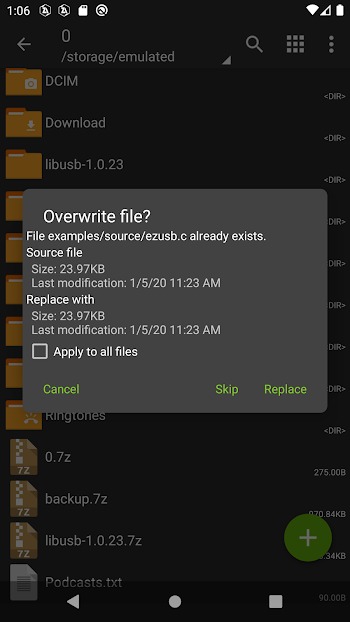
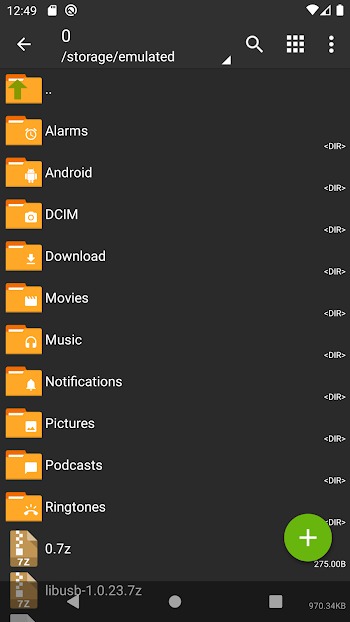
ZArchiver is an Android app for managing compressed files directly on a phone or tablet. It helps users create, open, view, edit, and extract archive files without needing a computer. For anyone who often downloads ZIP, RAR, 7z, APK backups, or large file packs, this app keeps the process simple and quick.
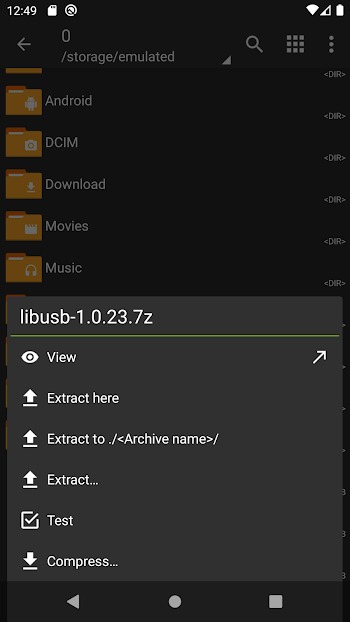
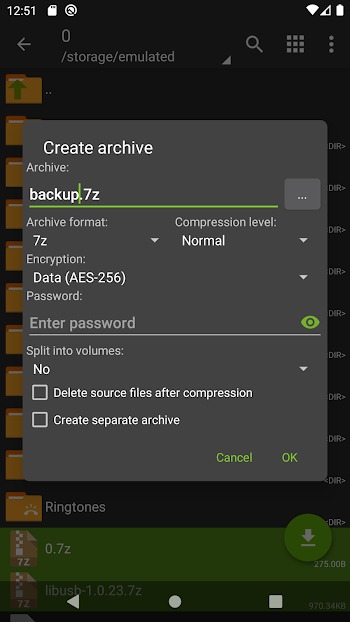
The main purpose of ZArchiver is file compression and extraction. You can create archives in formats like 7z, ZIP, TAR, GZIP, BZIP2, XZ, LZ4, and ZST. You can also extract many more formats, including RAR, RAR5, ISO, CAB, RPM, DEB, DMG, WIM, ZIPX, and split archive files. That wide format support is the big reason many Android users keep it installed.
ZArchiver also lets you view archive contents before extracting them. This is helpful when you only need one file from a large archive or want to check what is inside first. It can also partially extract files, open compressed files from email apps, and handle split archives such as 7z.001, zip.001, z01, and part1.rar. Small detail, big time saver.
For privacy-focused users, ZArchiver supports password-protected archives. You can create encrypted archives and extract locked files when you know the correct password. The app also works without internet access permission, which is a strong trust point because it cannot send your files or activity online through its own connection.
The app is practical for students, Android power users, mod users, office workers, and anyone who stores shared files on mobile. It is useful when handling downloaded resources, organizing backups, compressing folders before sharing, or installing APK and OBB files from an archived backup. Its interface is simple, but it still gives enough control for more advanced tasks.
ZArchiver does have a few limits. Some archive formats can be extracted but cannot be created. RAR creation is not supported, and encrypted archives still require the correct password. Beginners may also need a minute to understand file paths, archive options, and split file handling. Once learned, though, the app feels like a tiny file toolbox in your pocket.
FAQs ZArchiver
What is ZArchiver used for?
+
ZArchiver is used to create, open, view, edit, and extract compressed files on Android devices, including ZIP, RAR, 7z, TAR, ISO, and many other archive formats.
Can ZArchiver open RAR and 7z files?
+
Yes. ZArchiver can open and extract RAR, RAR5, and 7z files. It can also create 7z archives, but it does not create RAR archives.
Does ZArchiver support password-protected files?
+
Yes. ZArchiver can create password-protected archives and extract encrypted files when you enter the correct password set for that archive.
Is ZArchiver safe to use on Android?
+
ZArchiver is designed for offline archive management and does not require internet access permission, which helps reduce privacy concerns when handling local files.
Who should use ZArchiver?
+
ZArchiver is suitable for Android users who often download compressed files, manage APK or OBB backups, share folders, handle large file packs, or need a mobile tool for archive editing.
Discover More Interesting Apps
-

VPN.lat
v3.9.43
46.77 Mb
Updated -
90 FPS
v13.1
15.85 Mb
Updated -
Mod
Ad Blocker
v7.2.10
10 MB
Updated -
Flezen
v1.8.2
48.48 Mb
Updated -
Bubble Screen Translate
v4.4.7
113.72 Mb
Updated -
Mod
FlixPlayer
v3
33865066
Updated -
Mod
Multi App
v2.9.6
51.74 Mb
Updated -
Mod
Hibernator
v2.57.0
10.70 Mb
Updated -
Pixel Player
v1.5.0
111.12 Mb
Updated -
Mod
VPN Super Unlimited Proxy
v2.29.3
78.11 Mb
Updated










Share Your Thoughts